
Skip the Checks: Pay Vendors by ACH with BUCS
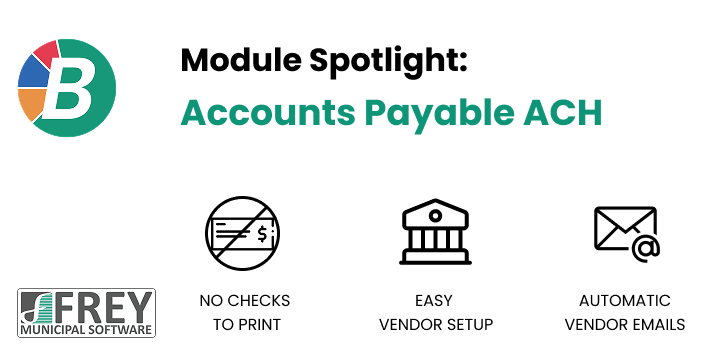
Most clerk treasurers know the routine. You enter the invoices, print the checks, get the signatures, fold and stuff the envelopes, and add postage. Then you carry the stack to the post office and hope nothing gets lost or comes in late. Repeat that every claims cycle, and it adds up to hours each month.
BUCS Accounts Payable ACH gives you a better way. Instead of printing paper checks, you can pay your vendors directly into their bank accounts through the Automated Clearing House (ACH) network. It's the same secure system banks use for direct deposit and electronic bill pay. It fits right into the BUCS accounts payable process you already know.
What is ACH?
ACH is the nationwide network that moves money electronically between bank accounts. If your employees get paid by direct deposit, you're already using it. ACH vendor payments work the same way. Instead of mailing a check, BUCS creates a payment file your bank processes, and the money goes straight into the vendor's account.
BUCS follows the rules of the ACH network and creates files in the standard NACHA format that banks expect. NACHA is the organization that sets ACH rules. You don't need to learn any of that. BUCS takes care of the formatting so your bank gets a clean file every time.
Less work for your office
The biggest benefit is the time you get back. With ACH, you skip:
- Printing checks
- Stuffing and sealing envelopes
- Buying postage
- Trips to the post office
- Ordering and storing check stock
For offices with a small staff, those hours matter. Time you used to spend on envelopes can go to budgeting, reconciliations, or helping residents at the counter.
Setting up vendors with confidence
Before you send real money, you want to know the vendor's banking information is right. BUCS includes a Prenote Test File feature for this. A prenote is a zero-dollar test transaction that confirms a vendor's account and routing numbers are valid before any payment goes out. BUCS creates the test file for you, so checking a vendor's information takes just a few steps.
BUCS also makes vendor setup faster with a Bank Institution dropdown. You can store the banks your vendors commonly use, along with their routing numbers, and pick them from a list. That means less typing and fewer typos.
Each vendor record also stores an ACH start date, so you always know when a vendor switched from paper checks to electronic payments. That's useful when you're answering questions or reviewing records later.
Keeping vendors in the loop
One common worry about leaving paper checks behind is, "How will the vendor know what we paid?" With a check, the stub explains it. BUCS covers that with automatic email notifications.
When an ACH payment is processed, BUCS can email the vendor to let them know. Each notice includes:
- Invoice number
- Invoice amount
- Invoice description
- Date
Vendors can match the payment to their records right away, and your office gets fewer "Did you pay this invoice?" phone calls and emails.
Your books stay in order
ACH payments are fully part of BUCS, not a separate system. When an ACH payment is processed, BUCS automatically posts all the journal entries, just as it does for checks. Your fund balances, appropriations, and reports stay accurate, and you don't have to make any extra entries.
Bank reconciliation stays simple too. ACH payments are marked with their own ACH payment type, so you can quickly spot and match them when you reconcile against your bank statement. You won't have to wonder which line goes with which payment.
Getting started is easy
You don't have to switch every vendor at once. Many offices start with a few regular vendors, like utilities, fuel suppliers, or contractors they pay every month, and add more over time. Paper checks are still there for any vendor who isn't ready to change.
A simple way to roll it out:
- Choose your first vendors. Start with the ones you pay most often.
- Collect banking information. Get the vendor's routing and account numbers, along with an email address for payment notices.
- Send a prenote. Use the Prenote Test File to confirm their information before sending real payments.
- Set the ACH start date. Record when the vendor moves to electronic payments.
- Pay as usual. Process your claims, and BUCS takes care of the payment file, journal entries, and vendor emails.
You'll also want to check with your bank about their ACH setup steps, such as how they'd like to receive files.
Why it matters for your community
Electronic payments are faster and more dependable than mail. Vendors get paid on time, checks don't get lost, and nobody has to call about missing payments. Your office spends less on check stock and postage and saves hours of manual work each cycle.
Most of all, it's a change that fits the way you already work. BUCS AP ACH builds electronic payments into the accounts payable process you know, so your team doesn't have to learn a whole new system.
Ready to stop printing checks?
If you're a BUCS client and want to learn more about adding ACH vendor payments, contact your Support Technician or email sales@freymunicipalsoftware.com. We'll walk you through setup and help you get your first vendors paying electronically.

Fund Accounting, Payroll, and Utility Billing Software
Learn more about the suite of products FMS has to supercharge your office.